Models & providers
PolyCreator sells no models and charges no inference fees: models run on your
own keys (Bring Your Own Key) — what you pay depends on the provider's
billing.
Adding a provider
Open the providers / AI settings page and fill in the key per vendor:
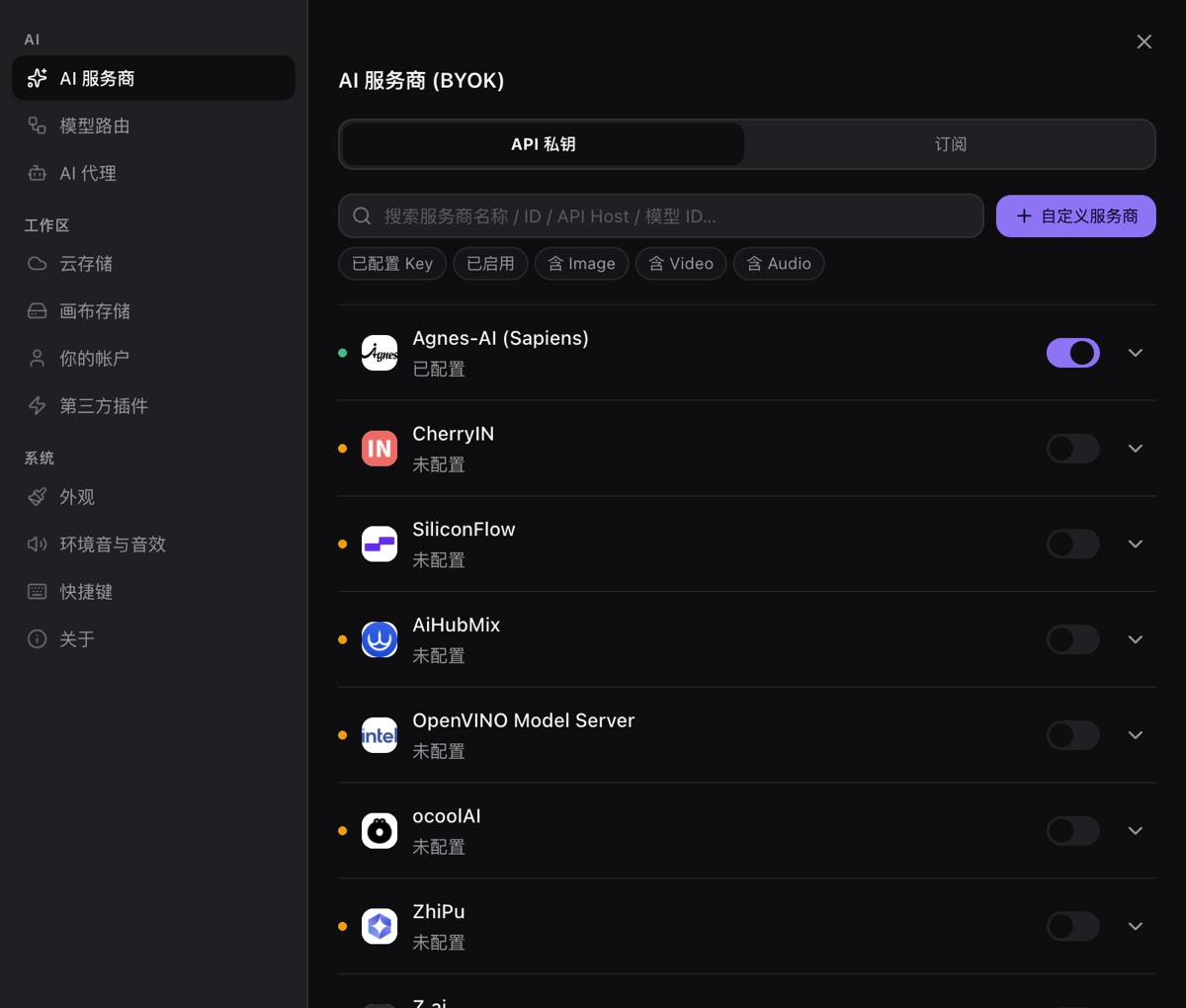
- Major vendors (OpenAI, Anthropic, Gemini, …) take an API key; some accept a
custom baseURL for proxies or compatible gateways. - Local models (e.g. Ollama) just need the local address; traffic never
leaves your network. - Keys live in the OS keychain (encrypted via safeStorage), are only read
when a request goes out, and are never uploaded anywhere.
Run the connectivity check right after adding a key — a mid-task failure
costs far more debugging than one upfront click.
Model routing
Canvas tasks (text, text-to-image, image-to-image, video, audio, …) each need
a capability, and routing auto-picks among your enabled models that have it.
Advice:
- Keep at least one working model per task you use, or nodes fail at run time.
- Plugins can also bring models (plugin-contributed providers own their auth
and don't take your key slots).
Quota & billing
- Quota, balance, and unit price are provider concepts: PolyCreator shows no
balance, so exhausted credit, over-limit, or a dead key all surface as task
failures — the provider's verbatim error is enough to locate the cause. - Common errors: 401/403 usually means a wrong key or no credit; 429 is rate
limiting (lower concurrency or wait); connection failures — check your
proxy or local gateway first.
Leaked key?
Revoke the old key in the provider's dashboard, then paste the new one here.
The app only holds a copy — revoking kills the old key immediately, nothing
lingers.