AI image hands deformed how to fix — extra fingers and garbled poster text
AI image hands deformed how to fix — extra fingers and garbled poster text
Long-tail queries: AI image hands deformed how to fix · AI generated text gibberish poster fix · how to write prompts for AI image realistic
Search "AI image hands deformed how to fix" and you will find the same wall: the face is right, the light is right, and the hand has six fingers, or two fingers fused into one blob. Search "AI generated text gibberish poster fix" and you are stuck on the headline: the layout came out fine, the words are near-miss nonsense. Search "how to write prompts for AI image realistic" and you get a portrait that is so flawless it reads as fake, skin sanded smooth, nothing behind the eyes.
These three look like different problems. They share one root cause: the prompt pushes the model into the region it is weakest in, and you never told it to hold still there. This guide walks through all three: what broke, why, the exact prompt before and after, four templates you can copy, and how to run the loop node by node in PolyCreator.
1 · The four ways an image breaks
Learn the names first, then the fixes make sense.
- Hands and fingers. Fingers are the hardest structure for a model to reproduce reliably. In training data, five fingers are frequently hidden, crossed, or wrapped around something. The moment a prompt says "waving", "hands clasped" or "holding a coffee cup", the model has to solve pose, knuckle orientation and occlusion at the same time, and the failure rate jumps.
- Text and letters. Most image models treat letters as texture, not typesetting. They learn what written strokes look like, not spelling. So
SPRING SALEcomes back asSPRNG SAL. The more words there are, the smaller they are, and the closer they sit to the edge of the frame, the worse the miss rate. - Anatomy and perspective. Wrong joint counts, broken occlusion and collapsed perspective produce extra fingers, backwards forearms and torsos with the wrong proportions.
- An over-stuffed prompt. Pour fifty mutually contradictory words into one prompt ("minimal + ornate + cinematic + passport photo") and the model averages them into an image that belongs to nobody. A lot of "broken images" are a prompt fighting itself, not a model failing.
2 · Three real cases
Case 1: extra fingers and deformed hands
Symptom: a half-body portrait, subject waving, five fingers rendered as six, thumb fused to the index finger, wrist proportion off.
Cause: the most damaging line in this prompt mixes negative and positive wording into one sentence:
28-year-old barista smiling while holding a paper cup with both hands,
professional photo, 8k, sharp focus, best quality,
(deformed hands:1.4), extra fingers, mutated hands,
watermark, text, logo
Chat-style image models do not separate positive from negative prompts. They have no idea that (deformed hands:1.4) means "do not draw this". They read "deformed hands" and "extra fingers" as description of the scene, so the prompt keeps hammering the exact feature you were trying to avoid. The Stable Diffusion habit of stuffing a negative block at the end of the prompt backfires here more often than it helps.
Fix: describe in the positive what the hands should look like, keep the exclusion to one short clause, and simplify the gesture.
A 28-year-old barista behind a counter, holding one white paper cup in each
hand, wrists relaxed, fingers complete and clearly separated, shallow depth
of field, 85mm lens, soft window light from the side, real skin texture,
realistic photography.
Avoid: extra or missing fingers, fused fingers, deformed hands, malformed
hands, cropped fingers, watermark.
The general rule: do not describe what you refuse with exclusions; describe what you want structurally. "Five fingers clearly separated, palm toward the camera" works far better than "no six fingers". The same logic applies to the gesture: one hand holding a cup, hands resting on a table, a loose fist all hold up; "hands clasped together" does not.
This is not hypothetical. A user on r/PromptEngineering posted a portfolio assignment with the line "the images is not realistic hands and legs are not good", and the prompt they attached ended with deformed hands, extra fingers, mutated, plastic skin (original thread). That is the most common misuse in one line: the more negatives you append, the more likely the named defects show up in the output.
Case 2: gibberish text on a poster
Symptom: a coffee promotion poster. The headline reads SPRING SALE in the layout, but the rendered pixels say SPR1NG SAL, and the small print at the bottom is unreadable nonsense.
Cause: three things stacked. The model does not spell. The frame carries three separate blocks totalling thirty-plus characters. And nothing in the prompt says where each block sits, what font it uses, or how large it should be. More text means a higher chance of error.
Fix: describe the poster as a layout. Divide it into blocks, say where each one goes, name the typeface, cap the word count. Wrap every literal string in quotes.
A vertical coffee promotion poster, laid out in three blocks.
Top banner on a solid background, centred, large bold black sans-serif
typeface, two lines only: the first line reads "SPRING SALE", the second
line reads "SECOND CUP HALF PRICE", no more than 3 words per line, type
spanning 60% of the frame width, black on white with high contrast.
Middle block is an iced latte product close-up, subject slightly left of
centre, empty space on the right.
Bottom strip carries a single line of small text, "APRIL 12 - APRIL 20",
in a clean sans-serif, no smaller than 3% of the frame height.
Avoid: small print, thin type, extra text, garbled characters, QR codes,
watermark, logos.
The general rule: text in a poster is a layout element, not content. Position, typeface, size and a word-count cap are what cut the garble rate. If a paragraph has to be typeset letter-perfect, the safer split is to generate the artwork without type and lay the words on afterwards in a layout tool. Prompts cannot fix spelling; that is a division of labour, not a prompting problem.
Case 3: the realistic portrait that reads as plastic
Symptom: correct features, flawless skin, perfect background blur, and unmistakably AI.
Cause: photorealistic, 8k, ultra detailed, perfect skin pushes the model toward the commercial-retouching side of its training data, and skin on that side has no pores, no peach fuzz, no uneven tone. Realism does not come from resolution words. It comes from flaws and from imaging conditions.
Fix: describe the physics of the skin, then describe the camera that took it.
Half-body portrait of a 28-year-old East Asian woman, facing the camera,
expression relaxed, daylight coming through a window on the right, ordinary
apartment window view behind her, slightly overexposed in places, skin
showing visible pores, fine peach fuzz and a little shine on the forehead,
faint redness on the nose wings, natural jawline with slight left-right
asymmetry, a small mole behind the left ear, shoulder-length black hair
slightly messy with separated strands, wearing a beige cotton shirt,
shot on a phone main camera, 35mm, mild noise, unretouched.
Avoid: plastic skin, over-smoothed skin, beauty filter, greasy highlights,
perfect symmetry, studio lighting, exaggerated depth of field, illustration
look, 3D render look, watermark.
The general rule: realism comes from defects, not from resolution.
Two r/PromptEngineering threads make the same point. "Powerful prompt for realistic human image" (thread) breaks a realistic portrait into eight blocks: camera and style, device emulation, perspective, post-processing, subject details, posture and action, fashion and accessories, surroundings. "An in-depth guide to producing authentic looking AI images" (thread) argues for naming the device ("taken on iPhone 11"), adding a filename in the phone's format (IMG_4673.HEIC), and naming the scenario ("photo taken at an art gallery opening"), so the frame reads as a phone snapshot rather than a studio retouch. Together they amount to one sentence: specific beats stacked — device, lens, imperfection, over quality keywords.
3 · Four prompt templates you can reuse
Every template below shares one skeleton, with the five slots in a fixed order:
{subject: who or what, with age and state}, {detail: material, clothing, skin, flaws},
{camera and light: focal length, framing, direction of light}, {style: how it was imaged}.
Avoid: {the three things you least want this time}.
Template 1 · Realistic portrait
A 32-year-old East Asian woman, marketing lead, half-body standing pose,
hands relaxed at her sides, visible pores and slight shine on the forehead,
short black hair tucked behind one ear, dark grey blazer over a white
cotton shirt with natural creases, 85mm lens, framed from the chest up,
camera level with her eyes, soft window light from the left, weak fill from
the opposite side, blurred office space behind her, shot on a phone main
camera, unretouched, mild sensor noise, neutral white balance.
Avoid: plastic skin, over-smoothed skin, studio lighting, exaggerated depth
of field, text, watermark.
Template 2 · Product shot
A frosted-glass perfume bottle, front label facing camera, standing on
beige linen, fine condensation droplets and one fingerprint on the glass,
matte off-white paper label, brushed metal cap, 50mm lens, product centred
and filling 60% of the frame, symmetrical margins, softbox key from the
upper left and a reflector on the right, seamless white background,
commercial still-life photography, true material rendering, crisp detail.
Avoid: garbled text, extra labels, plastic reflections, hard shadows,
cluttered background, watermark.
Template 3 · Scene illustration
An old stone-paved street in a Chinese water town after rain at dusk, wet
flagstones reflecting the sky, a tea house with warm yellow window light on
the right, water dripping from the eaves, two figures under umbrellas in the
distance, faces indistinct, eye-level medium shot, 35mm view, off-centre
composition with space on the right for a title, damp blue-grey palette with
the tea house window as the only warm orange, editorial illustration, visible
grain, loose brushwork.
Avoid: sharp faces, many people, text, watermark, borders, collage look.
Template 4 · Character sheet
Character reference sheet: a 26-year-old female mechanic standing straight,
full body front view, short black hair, an old scar through her left eyebrow,
orange work jacket and a tool belt, hands hanging at her sides, fingers
complete and clearly separated, plain neutral grey background, no props
covering the body, front-on eye-level view, even shadowless studio light,
accurate proportions with no perspective distortion, game character concept
art, clean linework with flat colour, high detail.
Avoid: extra fingers, twisted arms, exaggerated perspective, busy
background, text, watermark, extra characters.
4 · Iterating in PolyCreator
Editing one word, rerunning, looking once: that loop is cheapest on the PolyCreator canvas, because a node is already a copyable experiment.
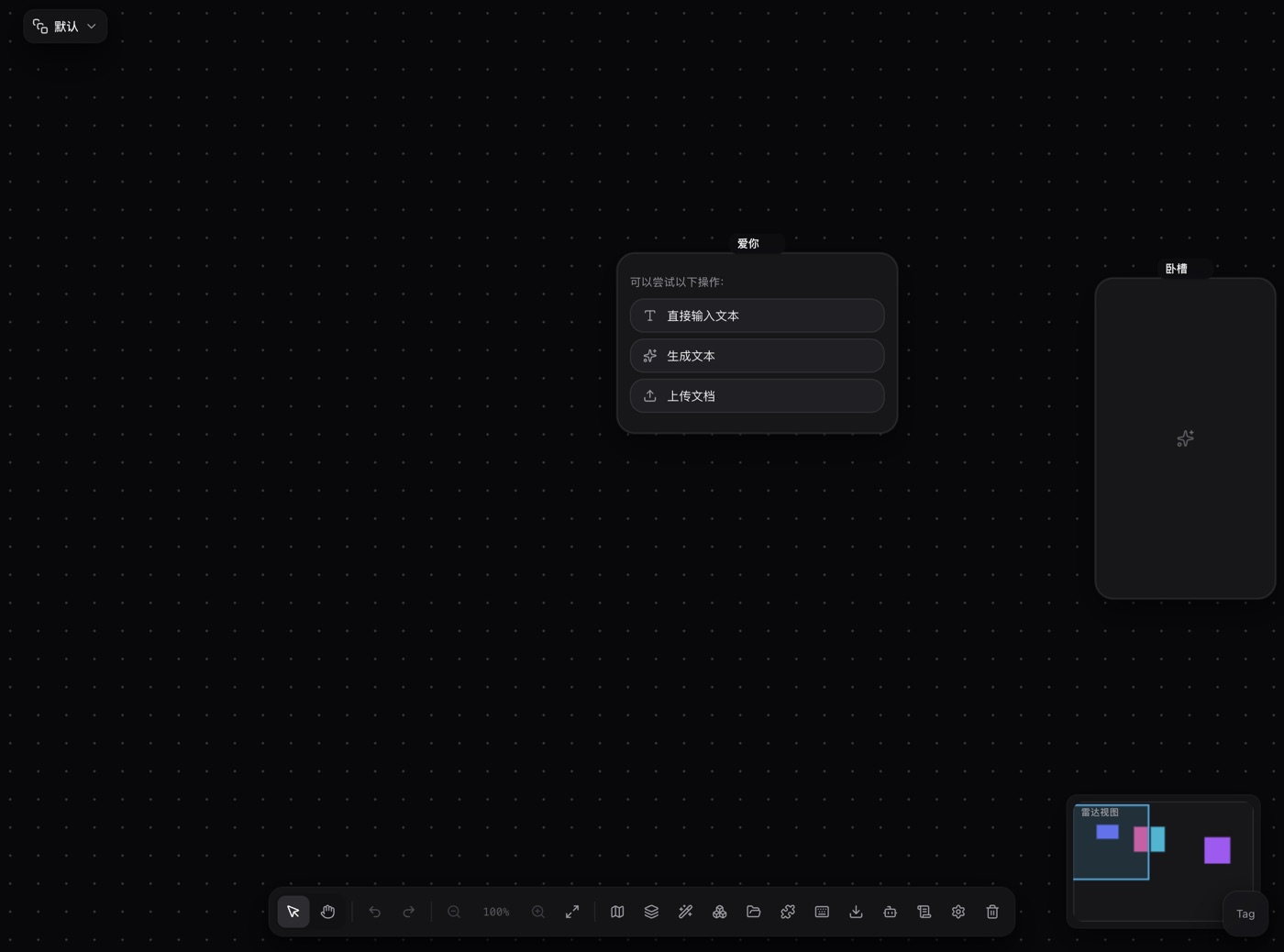
Change one variable per node. Put an image node on the canvas, write the prompt in the node's prompt bar, and the result lands back in the node. Change one word, rerun: ten runs give you ten comparable results. That is far more informative than rewriting the whole prompt at once, because you know which sentence did the work.
Duplicate the node to compare side by side. Select it and press Ctrl/Cmd + D and you get a second copy. Put the two next to each other, run the old prompt in one and the new prompt in the other, and look back and forth. Each copy gets its own id and parameters, so editing one never touches the other.
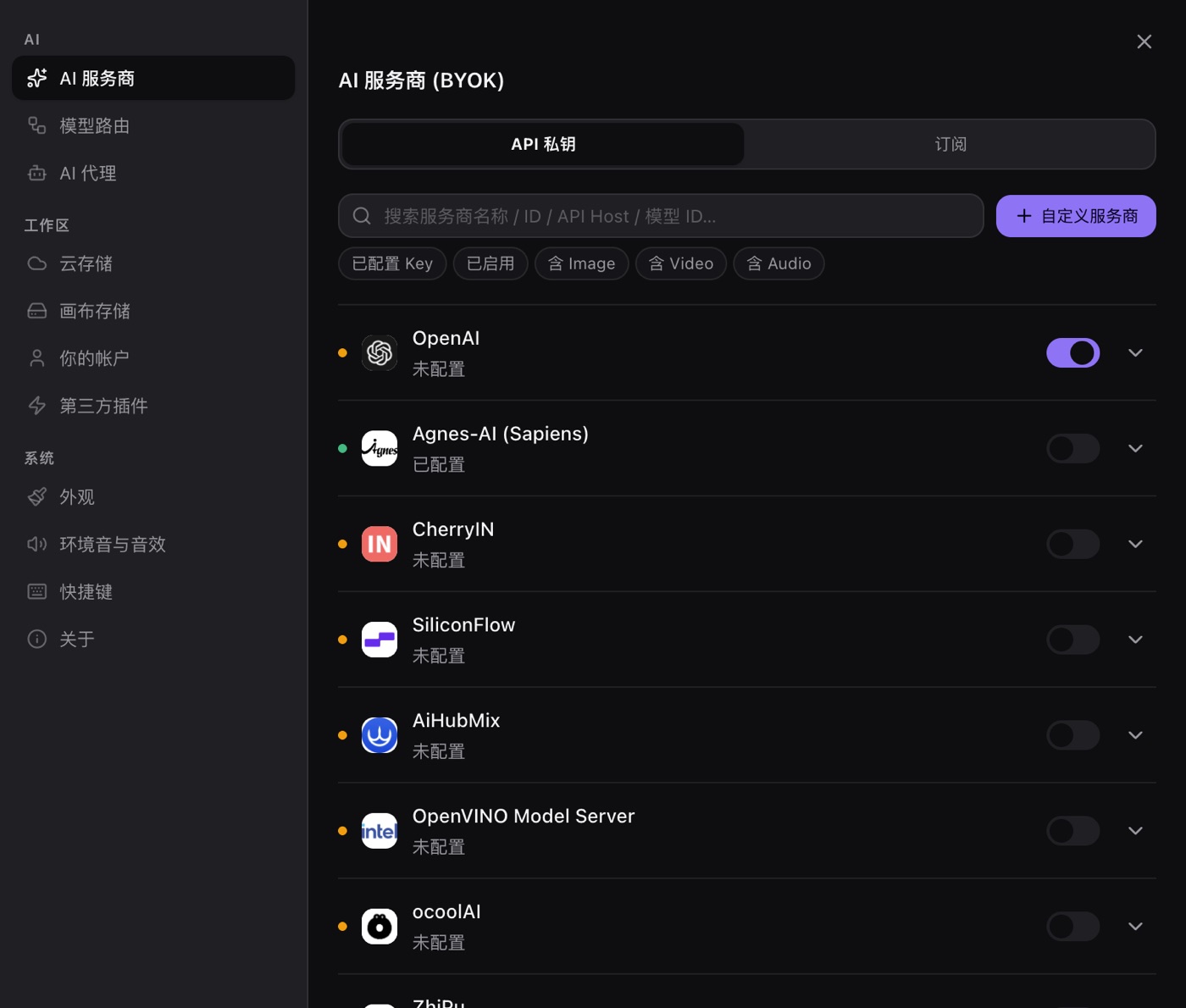
Same prompt, different model. Every node carries its own provider and model picker. Switch it, rerun, and the difference in hand stability or text clarity is immediately visible. You need a usable key for that:
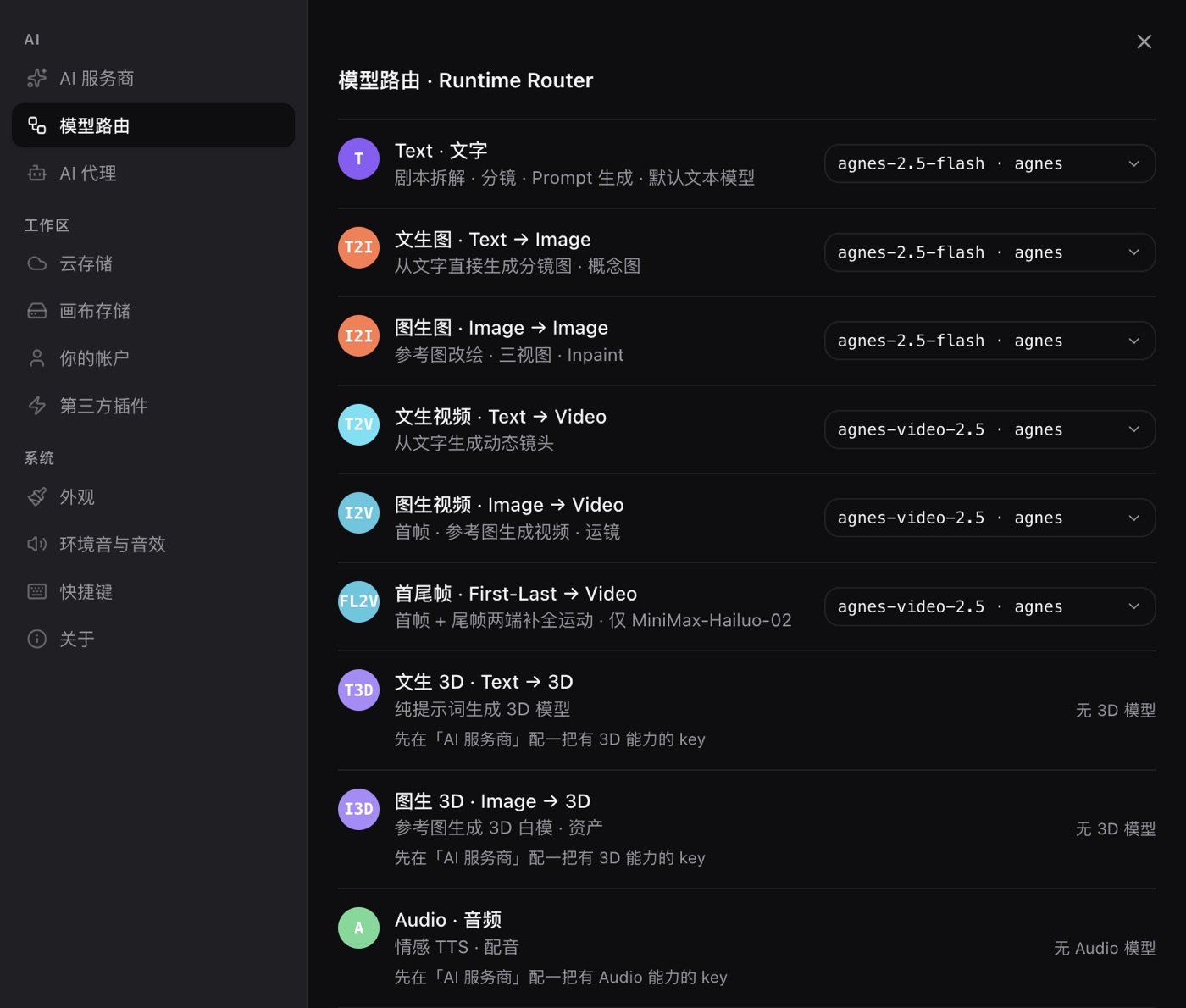
Prefer not to set it per node? Change the route. Settings → Model routing assigns a provider and model per task; a node without its own selection follows the route:
Chinese prompts can be translated in one click. There is a translate button in the prompt bar that converts the prompt to English before you send it. Most image and video vendors follow English prompts more closely, so when you are unsure, translating first is often less work than hand-writing English.
Every attempt leaves a trail. The generation records panel shows each job's type, status, model, duration and the raw request parameters:
From the same panel you can locate the node a record came from, rerun a failure with the original parameters, or edit the parameters and run again. Which prompt version was used in which run, on which model, is recoverable from the log.
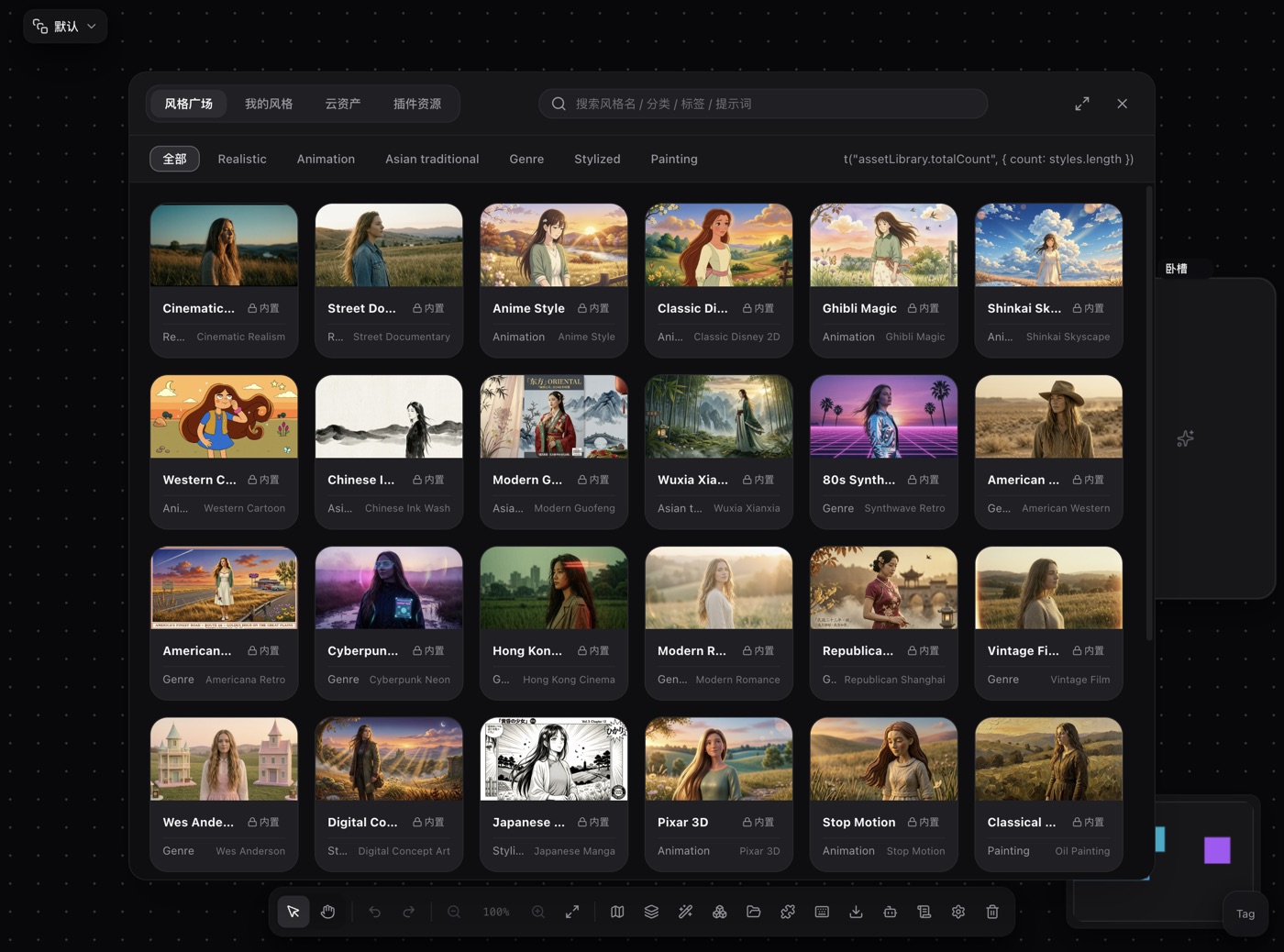
Save the version that worked as a style. On the image node, "Save as Style" prefills the prompt from that image. Delete the subject half and keep the look. It lands in "My Styles" in the asset library:
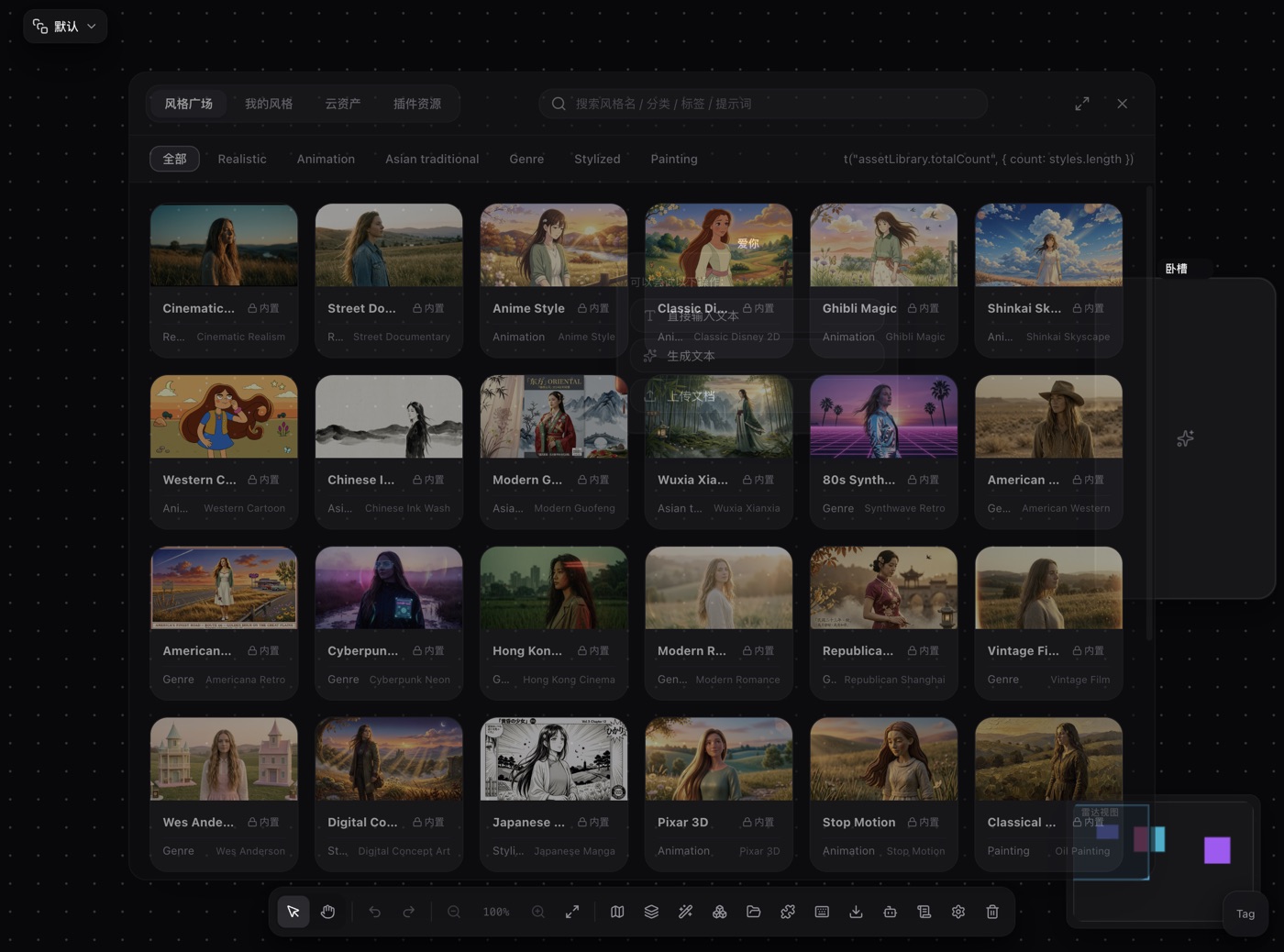
Wire a style node into a generation node and its positive description and avoid-list get folded into the prompt body (written out as Style: … and Avoid: …). That body channel is why the exclusions reach every provider: not every vendor exposes a dedicated negative-prompt field, and the text path does.
For a local change, feed the previous image in as a reference. Connect an upstream image node into the image node, or pick a reference in the prompt bar, and the model edits that image instead of generating from scratch.
5 · FAQ
Do negative prompts still belong in the prompt?
Yes, but know when they help. Most chat-style image models do not separate positive from negative, so a phrase like "no extra fingers" can reinforce the very concept it tries to ban. The safe order is: make the positive half solid first, then add one short exclusion. In PolyCreator a style's avoid-list is delivered as prompt body text (Avoid: …), which is exactly why it works across providers.
Is re-rolling the only option?
Hands and text are probabilistic by nature, so repeated runs of one prompt do sometimes land a good frame. But five failures in a row points at the prompt's structure, not at luck: the gesture is too complex, the poster asks for too many words, or two instructions contradict each other. Restructuring pays far more than another five rolls.
Does switching models solve it?
Not necessarily. Models do differ in hand and text quality, but fixing the prompt is usually cheaper and more controllable than switching. The practical order is: get the prompt right, then use model switching as an A/B.
Does raising the resolution make hands worse?
Yes. Higher resolution means more hand detail, and distortions you could not see at small size become visible. Test the composition and the prompt at a low resolution first, then raise it for the final.
Why does changing one word change the whole image?
Image generation is not local editing; the prompt is a global condition. The correct way to change part of a picture is to feed the previous image in as a reference and say what to change while keeping the rest.
Can "Save as Style" serve as a template library?
Yes, with one caveat: it stores the look half of the prompt, so you rewrite the subject each time. It fits a series with a fixed visual style and changing subjects, not a universal prompt library.
Read next
- Getting started: download, first login and a tour of the canvas
- Models and providers: BYOK, model routing, quota and billing in full
- Installing and managing plugins: install from the marketplace, a URL or a local file