Kling vs Runway price per second: an AI video billing comparison plus BYOK setup (Hailuo included)
Kling vs Runway price per second: how to actually compare AI video billing
Long-tail queries: Kling vs Runway vs Hailuo price per second · free AI video generator no watermark limits · how to use own API key for AI video BYOK
Search "Kling vs Runway vs Hailuo price per second" and you will find people bouncing between three or four checkout pages trying to work out which one is cheaper. Search "free AI video generator no watermark limits" and you want free credit, no watermark, no queue. Search "how to use own API key for AI video BYOK" and you would rather skip subscription credits entirely and settle against a key you already own.
The most common mistake in those threads, including the recurring API-versus-subscription argument on r/runwayml, is converting a subscription's "credits" straight into an API "price per second". They are not the same unit. Credits are an internal abstraction inside a plan: they expire, and different models charge different multipliers against them. API billing is per-request against a real rate. This guide does not compare numbers. It compares structures: how each billing model charges, how the free tier works, where watermarks and concurrency limits bite, which one fits which job. Then it walks through wiring your own key for video inside PolyCreator.
1 · The problem: the money is in the structure, not the sticker price
- A subscription looks cheap and is not. The monthly fee is fixed, but the allowance is credits. How many credits a five-second clip costs depends on the model, the resolution and a quality multiplier, and no vendor guarantees that one clip equals one fixed number of credits.
- Free credit is never unlimited. Most vendors hand you a signup grant or a daily point allowance. It has a ceiling, it expires, and it usually only covers the lower resolution tiers.
- A watermark is the default on the free tier. That is exactly the gap behind "free AI video generator no watermark limits": the free allowance will render a clip, but the exported file carries a watermark, and removing it generally means paying up or moving to the paid API.
- Concurrency and queue limits are buried. Free and entry tiers cap concurrent jobs or queue position, and APIs rate-limit per key on QPS and RPM, returning 429 when you exceed it.
- The units do not line up. Some vendors bill per second, some per request, some in credits. One "ten-second generation" is not the same quantity across vendors, so without a conversion you are not comparing anything.
2 · The general answer: four billing structures
The table below was compiled on 2026-10-21, and vendors change pricing without notice. What it compares is structure. Wherever a concrete figure would normally sit, the cell says "check the vendor site (data date 2026-10-21)". Budget against the vendor's own pricing page, not against this page.
| Billing model | How the money is charged | Free allowance | Watermark | Concurrency / rate limits | Fits | Rate |
|---|---|---|---|---|---|---|
| Per-second API | Output duration multiplied by a per-second rate, tiered by resolution and quality | Usually a signup grant, gone once spent | Paid APIs generally ship without one, subject to the vendor's terms | Per-key QPS and RPM caps, 429 on overflow | Output volume swings, you only need part of the duration | Check the vendor site (data date 2026-10-21) |
| Subscription credits | A monthly fee buys credits; each job deducts a model-dependent multiplier | Usually none, or a small trial grant | Typically present on the free and entry tiers | Concurrency and queue are capped, so you wait at peak | Steady daily output, predictable monthly spend | Check the vendor site (data date 2026-10-21) |
| Per-request | One charge per job, often priced at a base resolution or a flat count | Common: signup grants or a first-order discount | Depends on the plan, subject to the vendor's terms | Usually looser | Occasional output, testing models | Check the vendor site (data date 2026-10-21) |
| Aggregator / web-session entry | The aggregator prices on its own rate card; a web-session entry spends a daily in-site allowance | Web entries use daily points, aggregators often carry trial credit | Depends on the entry point, subject to the vendor's terms | Depends on the provider | One key reaching several vendors, or free quota to try on | Check the vendor site (data date 2026-10-21) |
Mapped onto the well-known vendors: Kling, Runway and Hailuo each offer both a subscription and an API path. The subscription hands you credits; the API hands you a real per-second or per-request rate. The two accounting systems do not talk to each other, which is why "subscription or API" is a genuine question rather than a rhetorical one. Work out how many seconds a month you actually need and how often a run fails before picking.
To compare, normalise the unit: convert every job to "cost per finished clip", then to "cost per second of output", then add the overhead of failed runs and wasted quota. Looking only at the per-second rate hides your failure rate; looking only at the monthly fee hides your volume.
3 · Using your own key: BYOK for video in PolyCreator
PolyCreator is a desktop AI video canvas. Text, image, video, audio, script and publish are all nodes on the canvas, and the connections are the pipeline. It sells no models, pays no invoices and adds no markup: the inference cost lands on your account at the provider, directly.
Step 1 · Add the key.
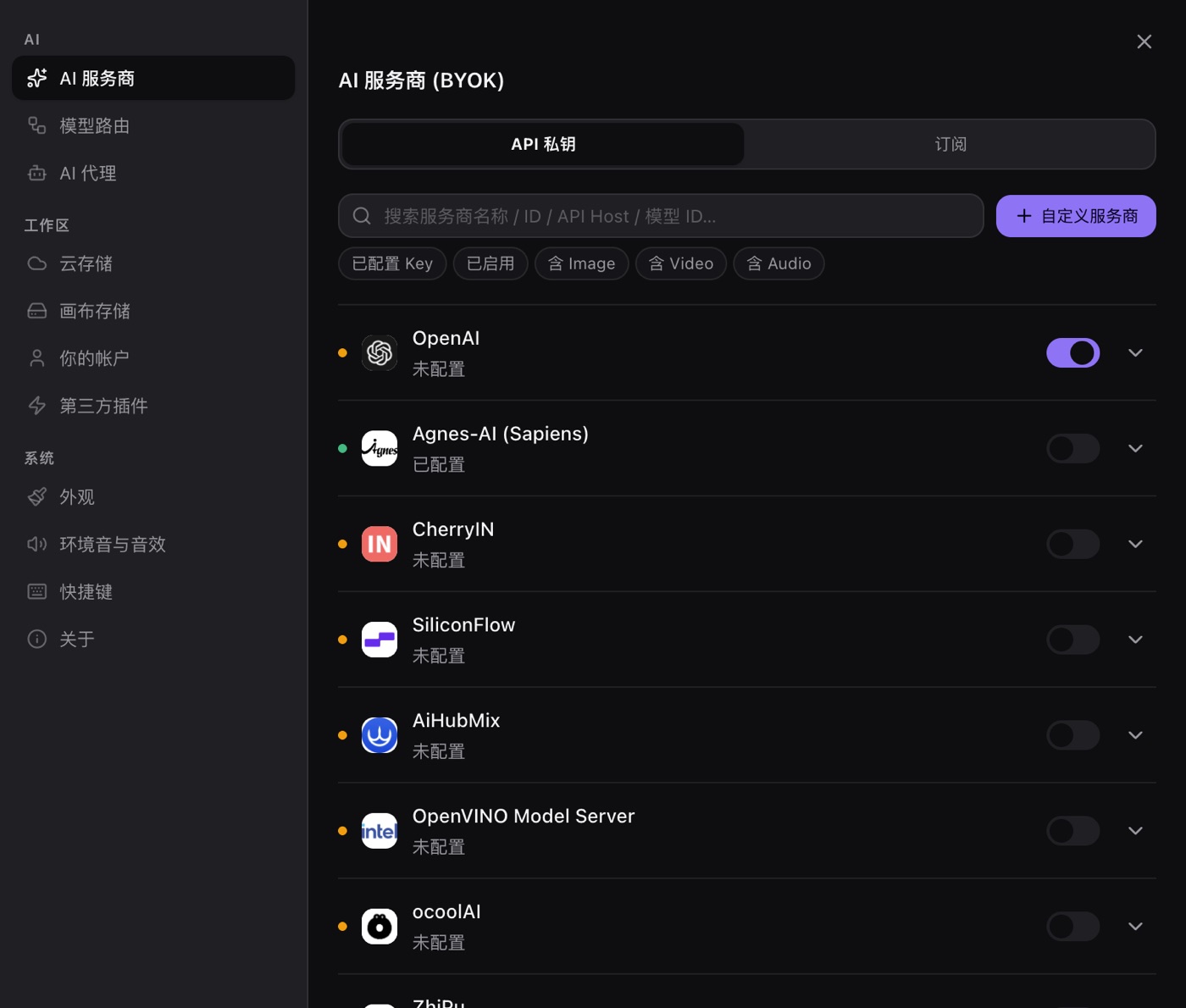
Open Settings → AI providers, paste your API key on the row for the provider, then pull the model list and run a connection test. The key is encrypted with Electron's safeStorage and handed to the operating system keychain. It is decrypted only at the moment a request goes out, never sits on disk in plaintext, and never reaches a PolyCreator server.
Step 2 · Point the video task at that provider.
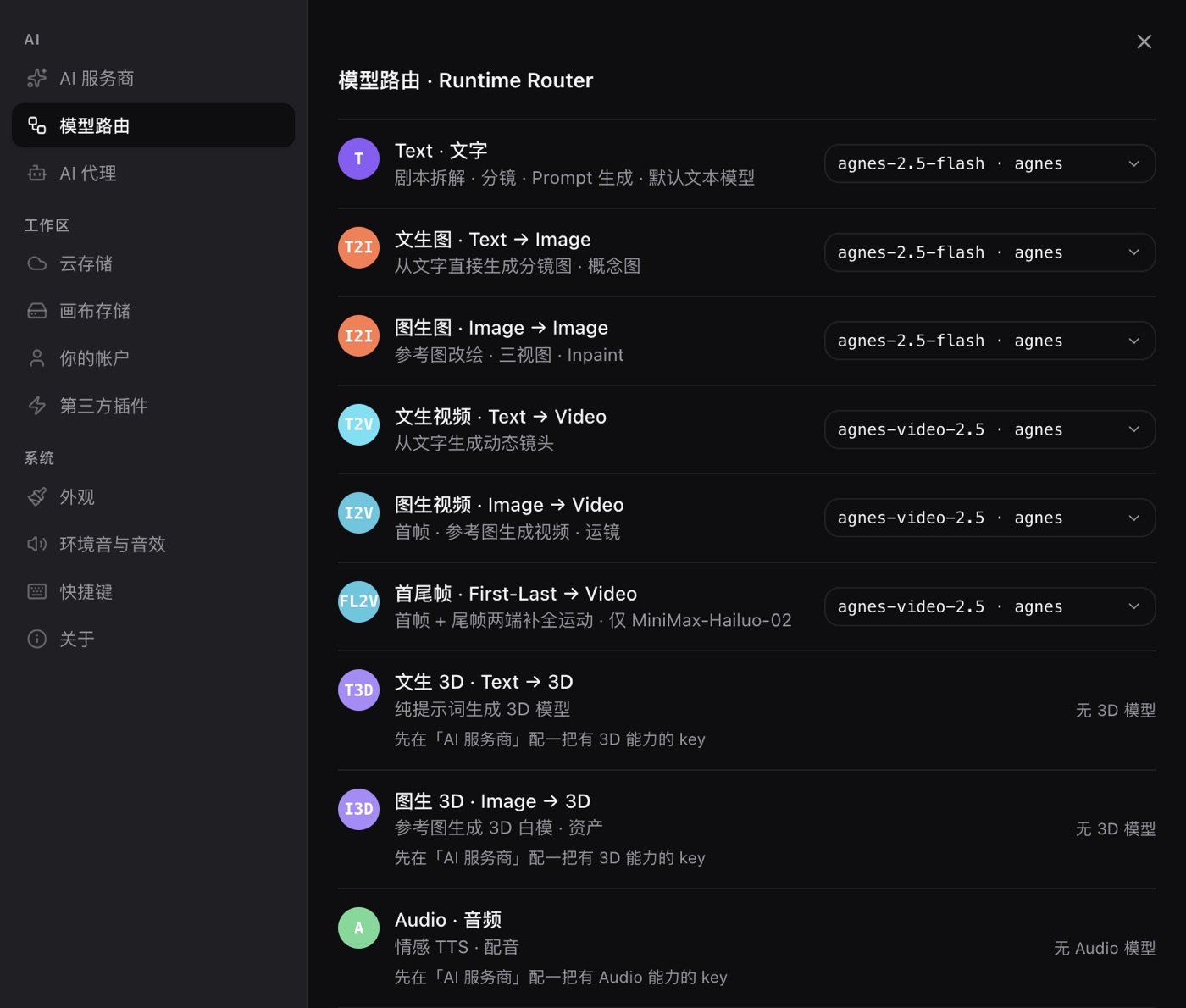
Settings → Model routing gives every task its own row: text, text to image, image to image, video, audio. Each row takes a provider and a model. Set the text-to-video and image-to-video rows to the provider you just configured. A route is a default, and you can change it at any time.
Step 3 · Pick the model on the node.
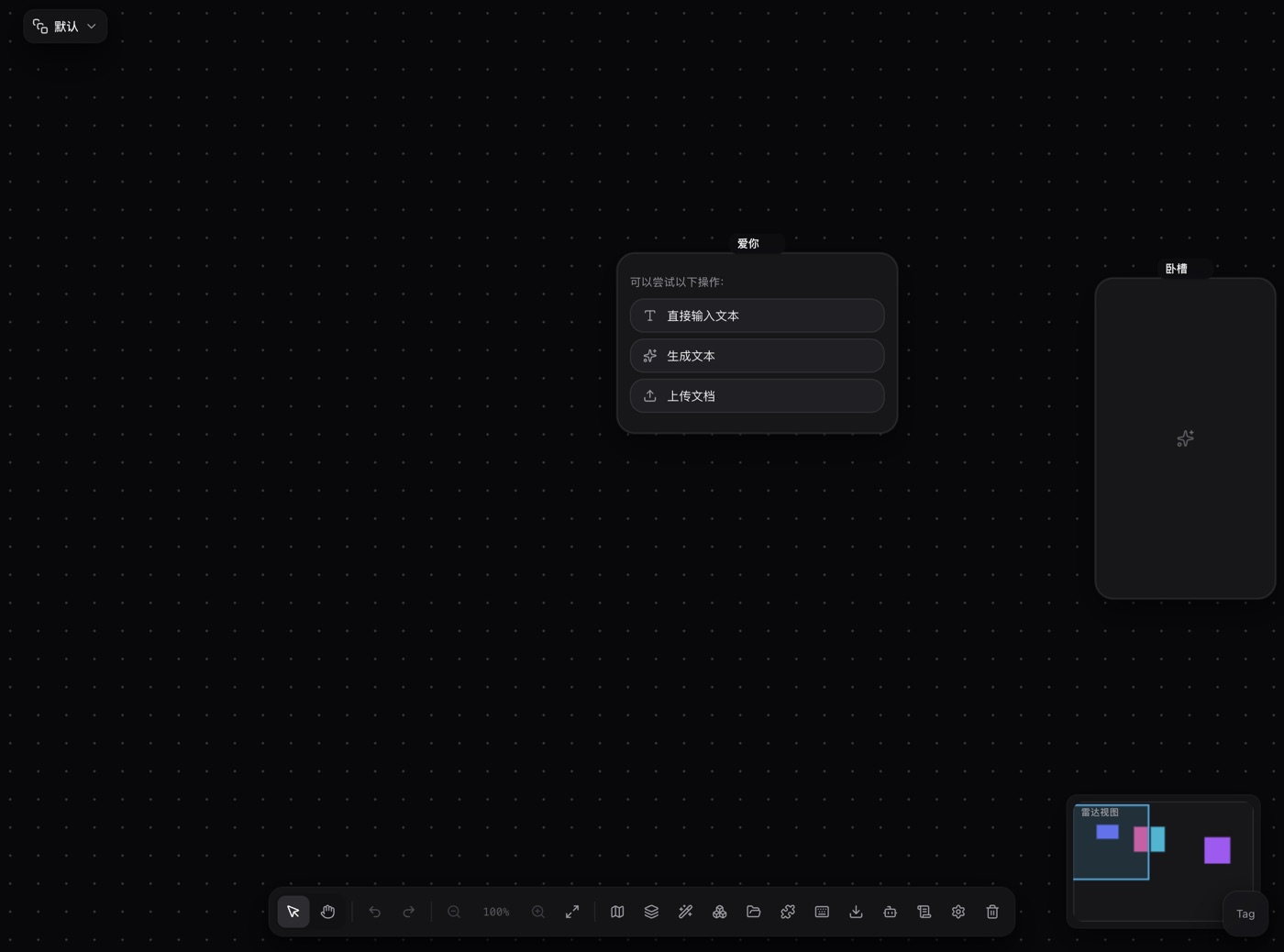
The model pill at the bottom of a video node picks the model for that one node, so shot A can go to provider A and shot B to provider B on the same canvas. Whether a video run works depends on the provider and the model: the provider has to ship a video channel, and the model has to carry the Video capability. Miss either and the task fails.
Step 4 · Reaching Kling and Runway.
Plainly: PolyCreator has no built-in Kling or Runway channel. The providers that actually ship a video channel in this build are Google Gemini (Veo), MiniMax (Hailuo / video-01), Doubao Ark (Seedance) and Agnes-AI. If you want Kling or Runway, you reach them with your own key through an entry that speaks their video interface shape. One route is a plugin that registers a video backend, since the provider extension point is public and a plugin carries its own authentication or claims a key slot in settings. The other is an aggregator service that exposes the video interface for those two models, with the video backend supplied by a plugin. Pasting an OpenAI-compatible key and stopping there is not enough: in this build the OpenAI-compatible path covers text and image only, and routing a video task to it fails with a "this vendor does not support video generation" error.
Step 5 · Watch the spend.
The records panel's total cost is a local estimate, computed against a price table that ships with the app; a model outside that table simply shows nothing. Use it to read a trend, not as an invoice. The provider's own dashboard is the ledger.
4 · Cost levers
- Draft short, then extend. For one prompt, render five seconds to settle the direction, then render the longer cut with the same settings. Under per-second billing, duration is the most direct multiplier you control.
- Settle similar prompts as a batch. Change a whole batch of prompts and a single parameter at a time, rather than one prompt at a time. Failed generations still bill.
- Reuse what you already pay for. If you already hold a Gemini, MiniMax or Doubao account, use that key instead of buying a second inference allowance.
- A/B two routes for the same task. Run one video node against two providers, once each, and compare the footage plus the real bill rather than a marketing page.
- Route the cheap work away from video. Point text tasks (rewriting prompts, listing shots) at a small model or a local Ollama / LM Studio on your own machine, and switch to the video model only for the final render.
- Keep a rendering checklist. Prompt, duration, resolution and model decide the bill. Recording them per clip stops a rerun of a shot that was already right.
- Set a cap at the provider. A spend limit on the provider's dashboard is the only thing that stops a runaway loop before it runs up a bill. The local records panel only tells you afterwards.
- Say it plainly: PolyCreator adds no markup. It sells no models, takes no cut and pays no invoice. What you send the provider is what the provider charges.
5 · FAQ
How much does PolyCreator itself charge?
Nothing. The app is the canvas and the scheduler, so inference is billed by the provider straight to your account with no markup layer in between.
Is there a Kling or Runway channel?
No built-in channel. This build ships video channels for Gemini (Veo), MiniMax (Hailuo / video-01), Doubao Ark (Seedance) and Agnes-AI. Kling and Runway need either a plugin that registers a video backend or an entry that exposes their video interface.
Where do I find a free AI video generator with no watermark and no limits?
Honestly, there is no reliable one. Free allowances carry watermarks and cap resolution and daily count. Removing the watermark generally means a paid tier or the paid API.
How accurate is the total cost in the records panel?
It is a local estimate computed against the app's built-in price table, it skips models outside that table, and it is not a provider invoice. Reconcile against the provider dashboard.
Can I run video locally?
Text tasks can go to a local Ollama / LM Studio on your own machine. Video has no local channel in this build and still runs against a provider.
How often do the prices change?
Without a pattern. Vendors adjust rates, run promotions and retire models. That is why every rate cell in the table above reads "check the vendor site (data date 2026-10-21)".
Which is cheaper, a subscription or the API?
Whichever fits your shape of use. A subscription is a fixed monthly fee with a ceiling, so it wins when your output is steady and predictable. The API bills per use, so it wins when output is bursty or you only need part of what you would otherwise subscribe to. Check the provider's current numbers on their site before committing.
Does one key cover several video vendors?
Not by itself. Each provider row carries its own key, and each provider has to expose a video channel before a video task can route to it. A single key that reaches several vendors only works through an aggregator or a plugin that registers the video backend for you.
6 · Read next
- Getting started: install the desktop app and learn the canvas
- Models & providers: BYOK, model routing, quota and billing in full
- Installing & managing plugins: add node types and capabilities to the canvas