how to keep same character across AI images: comics and storyboards with one face across every panel
how to keep same character across AI images: comics and storyboards with one face across every panel
Long-tail queries: how to keep same character across AI images · AI comic consistent characters multiple panels · AI storyboard same person every frame
Search "how to keep same character across AI images" and you find people who are already stuck on panel three. Search "AI comic consistent characters multiple panels" and you find serial comic artists whose lead has changed actors between issues. Search "AI storyboard same person every frame" and you find storyboard artists whose shot list says the same name on every line, while every frame comes back with a different actor.
Three parts: where the pain comes from, how the general routes compare, and how PolyCreator runs the actual chain on the canvas. A workflow and an honest FAQ close it out.
1 · The problem: six panels, six different people
Failure never looks like "completely unlike". It looks like every single detail is slightly off:
- Facial proportions drift. The first panel locks a round jaw, the third panel gives it a square one. Hairline height, eye spacing, how dark the irises are, all of it moves. A frontal close-up holds together; turn to a three-quarter view and the nose-to-jaw ratio falls apart.
- The outfit drifts with it. A jacket turns into a cardigan. The red jacket from panel one is grey in panel four.
- The lens changes the proportions. Swap to a wide angle and the character reads rounder and smaller. Set that next to the earlier panels and it is a different drawing.
- A detailed description does not rescue you. Write "black hair, amber eyes, a mole under the chin" into the prompt and the model will comply. It is still drawing a new person in every panel, not continuing from the last one.
- The problem always surfaces late. Panel five turns out to be a different character, and the cost of fixing it is re-running the whole chain: another wait, another charge on your provider bill.
The root cause is short: text-to-image receives words, not a person. Words can lock down a kind of person (black hair, amber eyes, round face). They cannot lock down this person. Not because the description is too short, but because on the model side there is no character object to bind to.
2 · General solutions: three routes
- Reference image. Feed one approved face into the model as a condition: img2img, IP-Adapter, character reference. While the model paints the new frame it keeps the reference in view, and "the person in the reference" and "the person I want" get pulled toward each other.
- LoRA / DreamBooth training. Collect a dozen or a few dozen photos of one character, train a small dedicated model, and attach it to every generation afterwards. On an r/StableDiffusion thread asking for a definitive guide, one reply put it plainly: "IP-Adapter is what usually being used for it, but LoRA is the most effective and accurate way." The same thread offered a material estimate: roughly 15 to 30 images for SDXL, about ten for Flux (thread).
- Seed locking plus a fixed prompt. Same seed, same model, same description, and lean on sampling reproducibility to get similar results back.
| Reference image (IP-Adapter / character reference) | LoRA / DreamBooth training | Seed lock + fixed prompt | |
|---|---|---|---|
| Consistency strength | Medium-high. Face shape, hair colour and eye colour hold; big camera moves and relighting still slide | High. The character is written into the weights, so front, side, back, close and wide all read as the same person | Low to medium. Most of the time it is "resembling", not "the same person" |
| Setup cost | Low. One image and a model that accepts references | High. Collect images, tag the data, tune the parameters, then verify the result | Low. Type a number |
| VRAM or compute | Nothing extra; billed like any other generation through your provider | Heavy. Training needs a GPU and hours; the trained model is also larger at inference | Nothing extra |
| Best fit | Comic panels, video storyboards, a fixed set of characters across a dozen images | A lead character for a long-running series, IP work, a face that recurs in many scenes | Reproducing and tuning a single image |
| Limits | Strength depends on the model; reference count is capped; whatever the reference carries (background, lighting, framing) tends to come along | Too little material overfits; the training setup is heavy; a LoRA does not transfer between base models | Backends do not always honour a seed, and the same seed may still return a different image; it dies with the model |
The routes are not exclusive, but each one answers a different question. The reference image answers "is this the same person". LoRA answers "does this read as the same person from any angle". The seed only answers "can I get that image out again".
For one comic sequence or one storyboard, the reference-image route has the best ratio: one approved portrait, no training cost, one wire to reuse. If you are building a lead character for dozens of episodes or an IP figure that has to appear in dozens of scenes, LoRA earns its cost, because that spend is amortised over a long reuse. Seed locking alone will not carry character consistency; treat it as a way to avoid paying twice for the same panel.
3 · How PolyCreator does it
First, the boundaries, because this app does not do these things:
- There is no LoRA training in the app. No training screen, no dataset management, no sampler parameters. You will see endpoints with flux-lora in the provider model list, but those are provider-side endpoints you call with your own key, not a model trained inside the app. Training your own character model still means running the local ComfyUI workflow.
- There is no character registry. Nothing that says "this character is named Sam and every image of Sam looks like this". The consistency comes from the fact that you feed the same reference image every time, by hand.
PolyCreator is the canvas and the routing layer. It lays "reference image → prompt → model" out as a repeatable chain, and it makes sure that when you run that chain ten times, the reference image going out is the same image in the same position.
1 · Reference nodes: approve once, reuse everywhere
On the canvas, nodes are the steps and the edges are the pipeline.
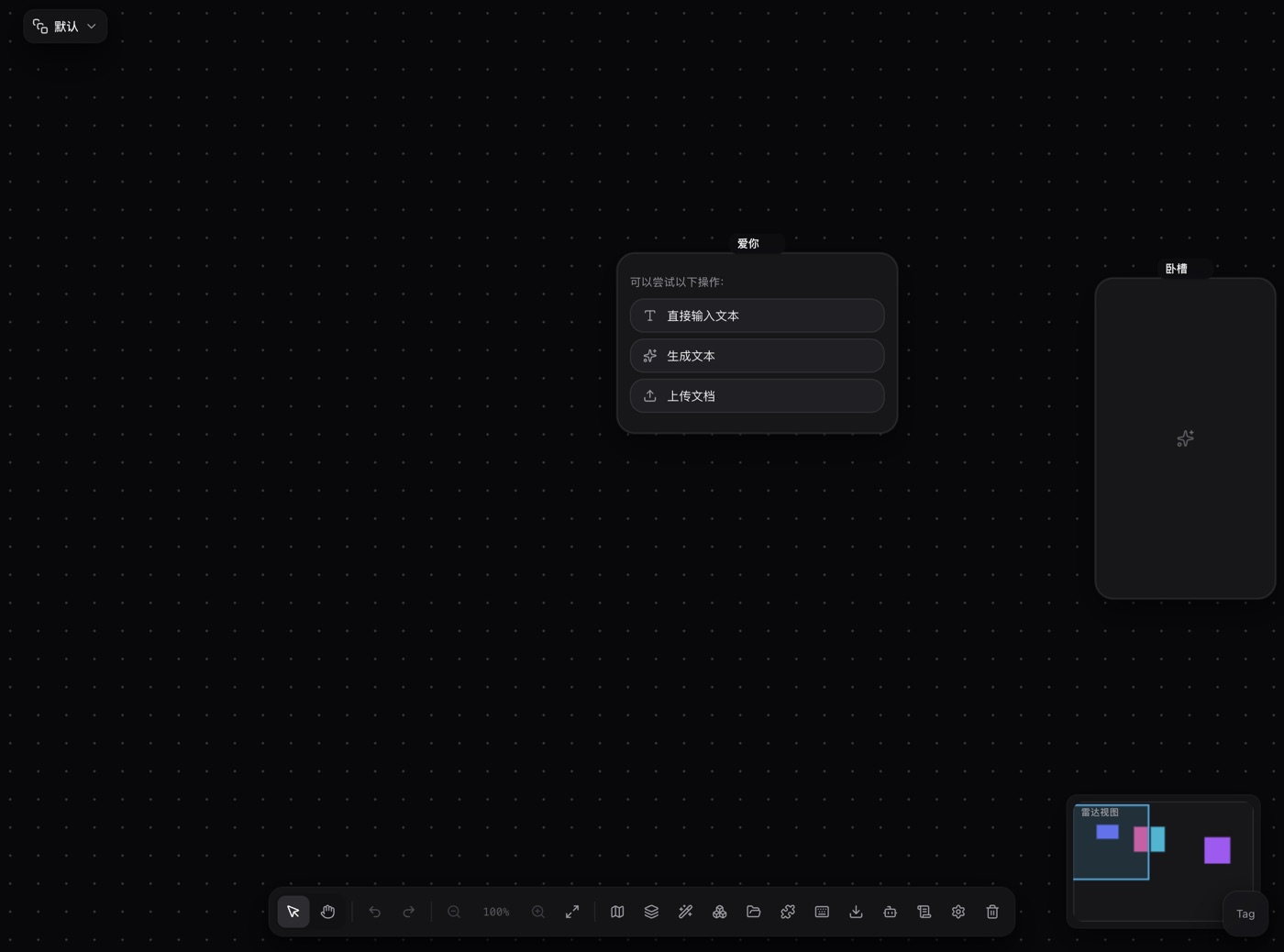
- Drop an upload node and send the character sheet into it. An upload node that receives an image turns itself into an image node, so the portrait stays on that node and no later generation overwrites it.
- Wire that image node into a new image generation node. The upstream image becomes the reference for that generation, and the request flips from text-to-image to image-to-image.
- For six panels, fan six branches off the one reference node. One image generation node per branch, six results lined up on the canvas. The original node is the read-only start of the chain, so no generation can touch it.
- Reference thumbnails above the prompt are numbered by send position (Image1, Image2). Click one and it drops
@Image1at the caret. Naming the picture ("keep the face in @Image1 unchanged") does more work than a vague "keep the same character".
That is the one thing in this guide that is genuinely locked: the first reference image sent in each of the six requests is byte for byte the same.
2 · Model routing decides where references ride
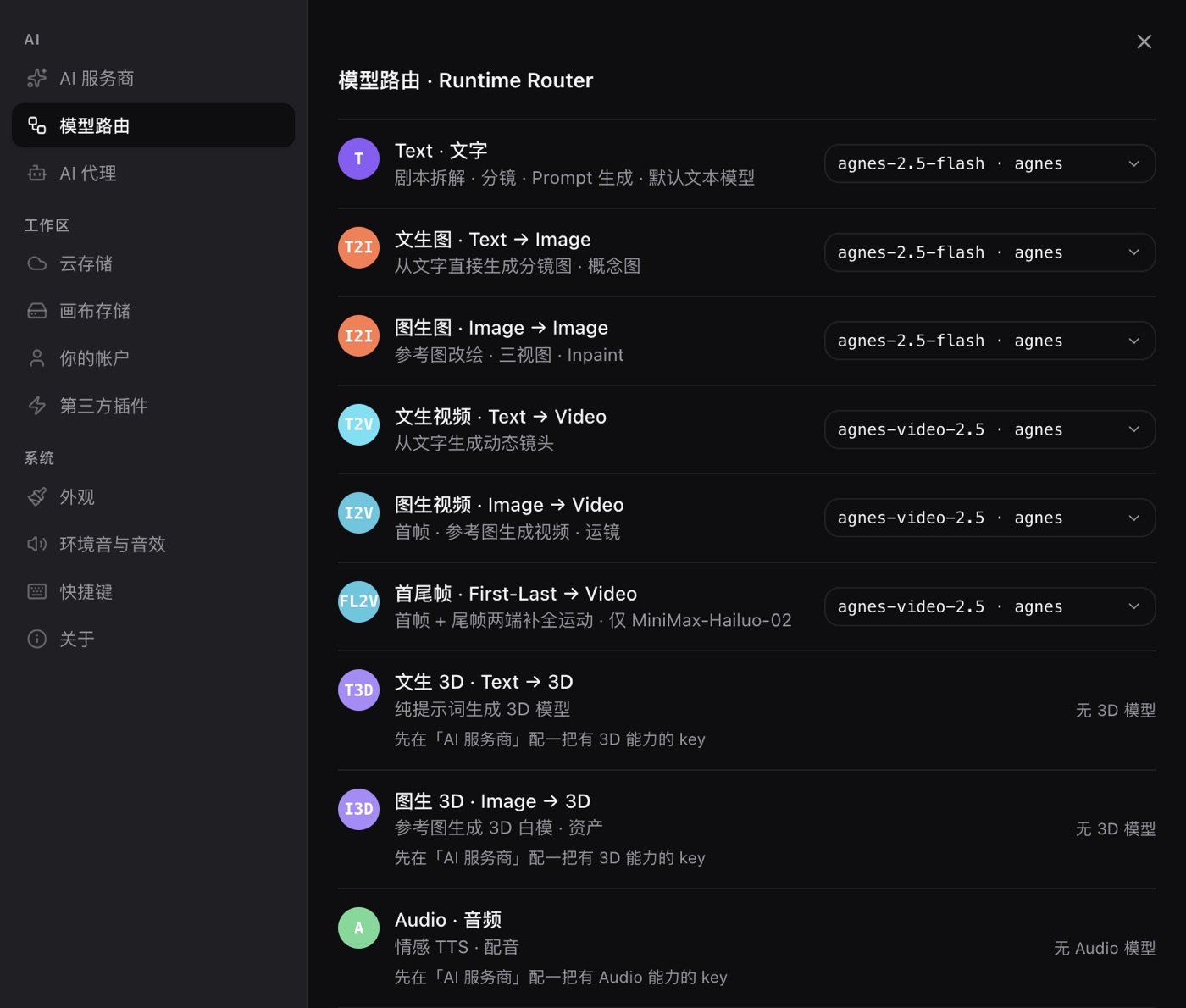
Settings → Model routing assigns a provider and model per task, and the image-to-image row is where reference images ride. A node can also name its own model, and that per-node choice wins over the route.
One hard constraint: some models are text-to-image only and reject a reference outright (MiniMax image-01 refuses them explicitly). Before you start a consistency run, point the image-to-image row at a model that genuinely accepts references. Every panel of the same character has to go through the same model; mixing them means casting a new actor halfway through.
3 · Seeds: do not stake the character on one
The node schema does have a seed field, but the image request does not forward it to the provider. Even where a backend accepts one, most do not promise that the same seed returns the same image; several pick a fresh random seed on every call. A seed is a reproducibility tool, not a source of consistency. It saves you one bill when you re-run one panel. It does not save you from a moving hairline.
4 · Reuse the character description word for word, hand the art style to a style node
One character description ("man in his twenties, short black hair, amber eyes, a mole under the chin, dark grey work jacket") reused word for word across all six panels. Only the scene, the action and the camera sentence change.
Lock the art style with Save as Style. Open it from an image node, delete the subject half of the prompt and keep the style half, and it lands in My Styles in the asset library. Wire a style node into the generation node and the style description folds into the prompt body before the request goes out.
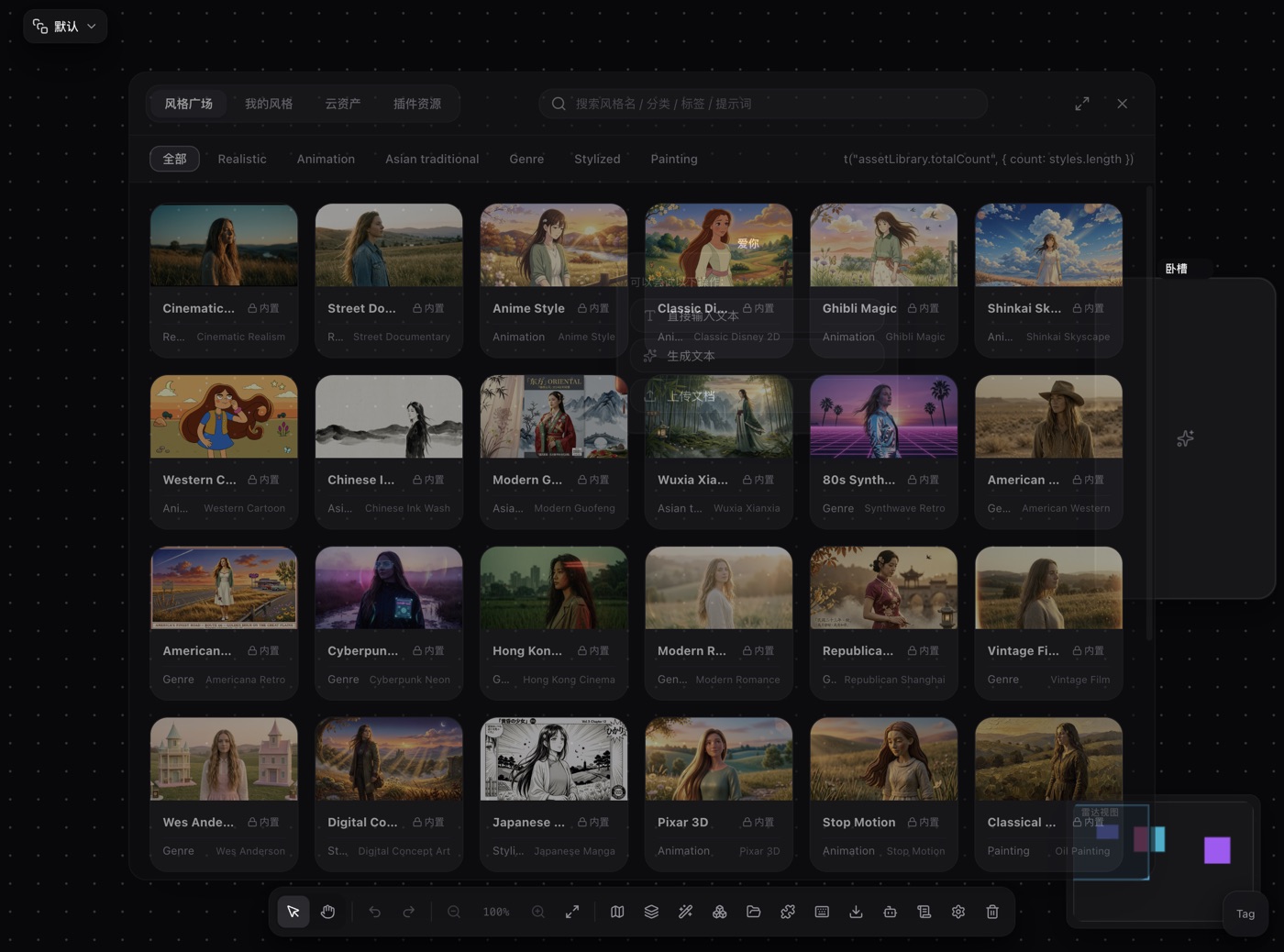
The reference image itself belongs in the asset library too: keep a copy under Cloud assets and drag it back onto the next canvas instead of hunting through folders.
5 · Groups, layers and names
Group the six panels into "issue 1" or "scene 3" so the set moves and saves as a unit, and as a macro template for the next issue. Use layers to split "character sheet / panels / finals" vertically. Name the reference node something like "lead · character sheet" and every branch tells you at a glance which character it feeds.
4 · A practical workflow
Make the character sheet. Generate a frontal half-body portrait with text-to-image, 1:1 or 3:4, neutral light, clean background. This one image sets the ceiling for every panel that follows.
Approve and keep it. Leave the approved portrait on the upload node. It is read-only from here on.
Build the reference node. Upload the portrait and the upload node becomes an image node on its own.
One branch per panel. Fan N image generation nodes off the reference node, group them, and keep the aspect ratio identical across the set (4:3 or 3:4 works for comic panels).
Write a reusable prompt template. The character paragraph is copied verbatim; only the scene, action and camera lines change:
Keep the face shape, hair, eye colour and clothing of the person in @Image1 exactly unchanged.
Scene: <where this panel happens>. Action: <what the character does>. Camera: <medium / close / over-the-shoulder>, <camera height>.
Art style: <the one style phrase used everywhere>.
Confirm the model. Pick a model that accepts references on the node's model pill and use that same one for the whole set. Switching models halfway is casting again.
Generate and check. Lay the six thumbnails side by side and compare: hairline, jawline, eye spacing and iris colour, garment style, head-to-body ratio. If one panel fails, delete that node and rerun it. Do not touch the reference node; change it and all six have to start over.
Wrap up. Save the approved look as a style, save the panel set as a macro template for the next issue, and wire the finals into a publish node.
FAQ
Can I train a character LoRA inside the app?
No. There is no LoRA training screen and no sampler parameters. The flux-lora endpoints in the provider model list are provider-side, called with your own key, not models trained inside the app. If you need to train, take the local ComfyUI route.
Does a fixed seed guarantee the same face?
No. The node has a seed field, but the image request does not forward it, and most backends do not promise same-seed-same-image anyway. A seed only saves the cost of re-running one panel.
If I paste the same prompt into six nodes, shouldn't that be the same character?
The prompt is necessary, not sufficient. The same words produce the same kind of person, not this person. To bind a specific character you have to give the model a reference image.
I wired a reference and the node says the model only supports text-to-image.
That model does not do image-to-image (MiniMax image-01 rejects references explicitly). Pick one that accepts references and check the image-to-image row under Model routing.
What if two people share a panel, or one panel contains two small drawings of the same character?
That is the hard case. Blending two references tends to produce two faces that sit somewhere between the two, and the reference count is capped per model on top of that. A single generation has no character id, so the model cannot tell which drawing is the lead. One character per panel is the reliable arrangement; handle crowds in a medium shot.
Is this enough for a long-running series, and what does it cost?
It holds for roughly a dozen panels with a fixed cast. If the lead has to appear across dozens of scenes and dozens of lighting setups, that is where training a LoRA starts to pay for itself. The provider bills your key for every call and the app adds no inference fee; the reference-image route does not add call volume, since it is the same number of requests as any other workflow.
Read next
- Getting started: install the desktop app and learn the canvas in ten minutes
- Models and providers: BYOK, model routing, reference capacity and billing
- Installing and managing plugins: marketplace, URL installs, updates
- ComfyUI is too hard? A zero-setup node canvas instead: the other route, when you want to train your own models